
Most people lose crypto in boring ways. They click a fake link, type a recovery phrase into the wrong website, or leave everything on an exchange that later freezes withdrawals. Hackers get the headlines, but simple mistakes do far more damage.
Crypto wallet safety is not complicated, but nobody will fix your mistakes for you. There is no bank to call. This guide covers the basics in plain English: hot vs cold wallets, how to protect your keys, and the habits that keep your coins yours.
Quick answer: Keep small, spendable amounts in a hot wallet, keep long-term savings in a cold wallet, write your seed phrase on paper, and never share it with anyone.
What Is a Crypto Wallet, Really?
A crypto wallet doesn’t store coins the way a leather wallet stores cash. Your coins live on the blockchain. The wallet stores the keys that prove they’re yours.
Private Key and Public Key
- Public key / wallet address: Like your email address. You can share it so people can send you crypto.
- Private key: Like your email password, but far more powerful. Whoever has it controls your funds. Nobody can reverse a transaction made with it.
Seed Phrase (Recovery Phrase)
When you create a wallet, you get a seed phrase, usually 12 or 24 random words. It is a human-friendly version of your private key. If your phone breaks, the phrase restores everything. If someone steals it, they can empty your wallet from anywhere in the world.
Custodial vs Non-Custodial Wallets
This choice matters more than hot or cold.
Custodial wallets are held by a company, such as an exchange. You log in with a password, and they hold the keys. It’s convenient, and password recovery works, but you are trusting them completely.
Non-custodial wallets (also called a self-custody wallet) give you the keys. Nobody can freeze your account or go bankrupt with your coins. The trade-off is that you carry all the responsibility.
Exchange Wallet Risks
Leaving large amounts on an exchange has real downsides:
- Exchanges can be hacked. The Bybit theft in early 2025 showed that even big platforms are targets.
- Withdrawals can be paused during a crisis, as users of FTX learned in 2022.
- Account takeovers through SIM swaps or weak passwords are common.
An old crypto saying sums it up: not your keys, not your coins. Exchanges are fine for trading. They are a poor place for long-term storage.
What Is a Hot Wallet?
A hot wallet is any wallet connected to the internet. It comes in three forms:
- Mobile wallet: An app on your phone, like Trust Wallet.
- Desktop wallet: Software installed on your computer.
- Web wallet / browser extension: MetaMask is a well-known example.
Pros and Cons of Hot Wallets
Pros
- Free or cheap
- Fast and easy for daily use
- Works with DeFi apps, NFTs, and exchanges
- Good for beginners
Cons
- Exposed to malware and hackers
- Vulnerable to phishing sites and fake apps
- Only as secure as your phone or computer
What Is a Cold Wallet?
A cold wallet keeps your private keys offline, away from internet-connected devices. That makes remote attacks very difficult.
Types of Cold Wallets
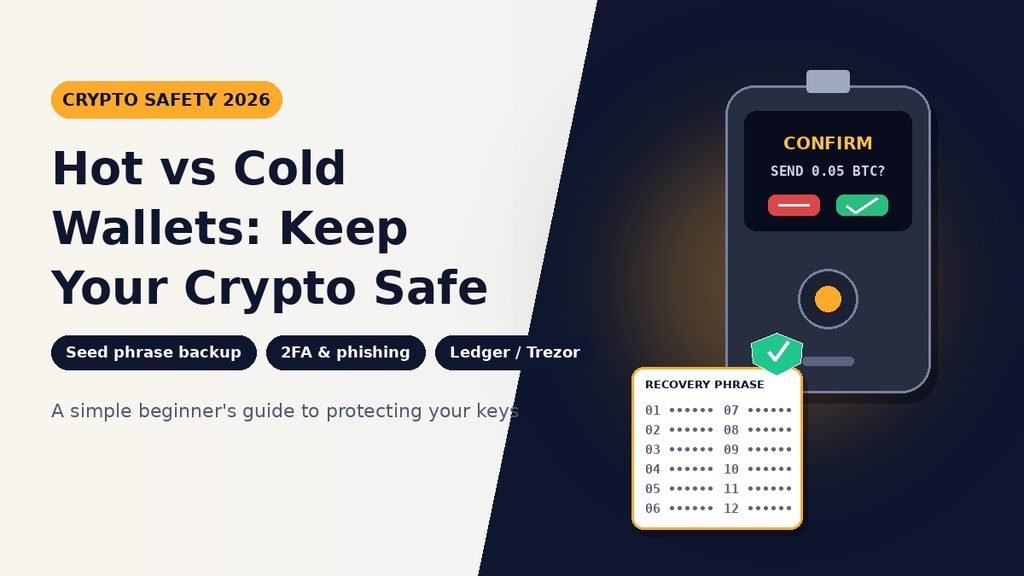
- Hardware wallet: A small physical device such as Ledger or Trezor. It signs transactions internally, so your key never touches your computer.
- Paper wallet: Keys printed or written on paper. It’s cheap but outdated. Paper can burn, fade, or be copied, and it’s easy to make mistakes when you spend from it.
- Air-gapped wallet: A device that never connects to the internet at all. It signs transactions through QR codes or an SD card. This is an advanced option.
Pros and Cons of Cold Wallets
Pros
- Strongest protection against online attacks
- You stay in full control
- Ideal for long-term holding
Cons
- Hardware costs money, usually $60–$200
- Less convenient for frequent trading
- Losing both the device and your backup means losing your crypto
Hot Wallet vs Cold Wallet: Side-by-Side Comparison
| Feature | Hot Wallet | Cold Wallet |
|---|---|---|
| Internet connection | Always online | Offline |
| Security level | Medium | Very high |
| Cost | Free | $60–$200 (hardware) |
| Best for | Daily spending, DeFi | Long-term savings |
| Ease of use | Very easy | Moderate |
| Main risk | Malware, phishing | Lost backup, physical damage |
| Beginner-friendly | Yes | Yes, with a little learning |
Hot Wallet vs Cold Wallet Security: Which Wins?
For pure protection, the cold wallet wins. But a cold wallet with a seed phrase saved in your phone’s notes app is less safe than a well-protected hot wallet. Security comes from how you use the tool, not just which tool you pick.
Hardware Wallet vs Software Wallet
This is the same debate in different words. A software wallet runs on your phone or computer. A hardware wallet is a dedicated device. Think of software wallets as your everyday pocket cash and hardware wallets as the safe at home.
The Safest Way to Store Cryptocurrency
Most experienced users split their funds, just like they do with cash:
- Spending wallet (hot): Only what you’d be okay losing, like the cash in your pocket.
- Savings wallet (cold): The majority of your holdings.
- Exchange account: Only what you’re actively trading.
A common rule of thumb: if losing the amount would ruin your week, it belongs in cold storage.
How to Secure a Crypto Wallet: Step-by-Step
Here are crypto wallet security tips you can apply today.
- Download from official sources only. Fake wallet apps appear in app stores. Go to the project’s official website and follow the link from there.
- Write down your seed phrase on paper the moment you set up the wallet.
- Set a strong, unique password using a password manager.
- Turn on two-factor authentication (2FA) wherever it’s offered. Use an authenticator app, not SMS, because phone numbers can be hijacked.
- Update your software regularly. Updates fix security holes.
- Send a small test transaction before moving a large amount to a new wallet address.
- Double-check every wallet address character by character. Some malware swaps copied addresses.
- Use a separate device or browser profile for crypto if you can.
Seed Phrase Backup: Do It Right
Your seed phrase backup is your last line of defense. Do this:
- Write the words by hand, in order.
- Store copies in two different secure places, such as a home safe and a bank deposit box.
- Consider a metal backup plate that resists fire and water.
And never do this:
- Take a screenshot or photo
- Save it in cloud storage, email, or a notes app
- Type it into any website
- Share it with “support” staff, ever
Real wallet support will never ask for your seed phrase. Anyone who does is a scammer.
Spotting Crypto Phishing Scams
Crypto phishing scams are getting more convincing in 2026, partly because AI makes fake messages, voices, and even videos easy to produce. Watch for:
- Fake support accounts replying to your public posts
- “Wallet validation” or “sync” pages that ask for your recovery phrase
- Airdrops and giveaways that require connecting your wallet
- Urgent messages claiming your account is locked
- Lookalike websites with one letter changed in the address
Bookmark the sites you use. Never click wallet links from emails or direct messages. If a deal looks too good, it is.
Multi-Signature Wallets (Multisig)
A multi-signature wallet requires more than one key to approve a transaction, for example 2 of 3. Even if one key is stolen, the thief can’t move your funds. Multisig suits families, businesses, and larger holdings. It’s slightly more complex, so beginners can skip it at first.
Best Crypto Wallet for Beginners
If you’re new, keep it simple:
- Start with a reputable mobile wallet to learn the basics with a small amount.
- Buy a hardware wallet from the manufacturer’s official store once your holdings grow. Never buy one secondhand.
- Practice a recovery. Set up a wallet, note the seed phrase, delete the app, and restore it. It takes ten minutes and builds real confidence.
Why Trustworthy Information Matters in 2026
Search results now often show quick AI summaries, and many people read the answer without clicking anything. That makes accuracy more important than ever. Whatever you read about crypto, including this guide, check it against official wallet documentation, and be wary of content with no author or real experience behind it. Advice from people who have actually used these tools tends to be more practical than generic summaries.
Frequently Asked Questions
1. Is a hot wallet safe for long-term storage?
It’s not ideal. Hot wallets are fine for small amounts, but long-term savings are safer offline.
2. Can a cold wallet be hacked?
It’s very hard, but not impossible. The bigger risks are fake devices, tampered packaging, and users giving away their seed phrase.
3. What happens if I lose my seed phrase?
If your wallet still works, move your funds to a new wallet right away. If the wallet is gone too, the funds are permanently lost.
4. Should I keep crypto on an exchange or in a wallet?
Use an exchange for trading and a self-custody wallet for holding.
5. Which is better, Ledger or Trezor?
Both are respected. Compare supported coins, price, and interface, and buy only from official stores.
6. Is a paper wallet still a good idea?
Rarely. A hardware wallet is safer and easier for most people.
7. Do I need 2FA on my wallet?
Apps and exchanges that offer it should have it on. Self-custody wallets rely mostly on your seed phrase and device security.
8. How many wallets should I have?
Two is a good start: one hot wallet for daily use and one cold wallet for savings.
9. Can I use the same seed phrase on multiple devices?
Technically yes, but it increases exposure. Use one phrase per wallet whenever possible.
10. How do I avoid crypto wallet scams?
Never share your seed phrase, ignore unsolicited messages, verify website addresses, and test with small transactions first.